Reducing Friction & Supercharging Conversations with an AI-Driven Chat Ecosystem
Your AI Chat Platform transforms how users interact with artificial intelligence — from simple chats to advanced workflows like PDF analysis, web search, YouTube summarization, and organization-level usage analytics, all powered by multi-model AI and customizable personas.
Role
Product & UX Designer (Lead)
What is Leeb AI?
The AI Chat Platform is a multi-model AI ecosystem that enables individuals and organizations to interact with AI through chat, documents, images, and web search, while managing usage, billing, personas, and AI behavior from a centralized system.
Team

2 UI/UX Designers
1 Product Managers
4 scrum teams x 12 people each
Timeline
Sep 2025 — Oct 2025 | 1 months
Deliverables
Interviews with stakeholders and users revealed friction across AI workflows.
To uncover the challenges users were facing, interviews were conducted with internal stakeholders including product managers, engineers, and support teams. These discussions revealed that users frequently contacted support due to confusion around AI models, billing, and feature limitations.
We also interviewed individual users, professionals, and organizational admins to understand how they used AI tools daily, where they struggled, and how current solutions failed to scale with their needs.
I never know which model to use, and I'm always worried about hitting usage limits without realizing it.
Power User, AI Chat Platform
Managing multiple users and tracking AI costs without visibility is extremely difficult.
Organization Admin
I want the AI to behave differently depending on the task, but there's no easy way to control that.
Product Manager
The existing experience lacked clarity control, and transparency.
The previous design made it difficult for users to understand how AI models differed, what tools were available, and how their usage translated into costs. Users were often unsure which actions consumed tokens, images, or searches.
AI behavior was largely generic, offering limited customization and reducing the effectiveness of responses across different use cases.
Fragmented AI tools
Users had to navigate multiple disconnected tools, making workflows slow and unintuitive.
Limited AI customization
Users could not easily tailor AI behavior for different tasks or roles.
Poor usage visibility
Users lacked real-time insights into their consumption, leading to surprise billing concerns.
The existing user flows had opportunities for merging duplicates
Starting an AI task from Chat, Tools, or Model Selection led users through a multi-step configuration flow to choose a model, select a persona, and adjust settings before generating a response. However, this configuration process was identical across all entry points, regardless of how the task was initiated.






Users weren’t clear about where to send which payment
General Motors would often receive cheques for Market-Based Price, even when those payments were processed by their auction partners, Openlane. By the time the dealer realized their mistake, the vehicle may have already sold in an auction.
Usage
Usage provides real-time visibility into AI consumption across models and tools.


Billing
Billing clearly shows plans, invoices, and cost breakdowns to avoid surprises.
Usage
Usage provides real-time visibility into AI consumption across models and tools.
Billing
Billing clearly shows plans, invoices, and cost breakdowns to avoid surprises.
Other problems with the current design
Unclear model capabilities
Many users selected models without knowing their limitations, resulting in failed tasks or inefficient usage.
AI behavior felt inconsistent
Without personas or system instructions, responses varied unpredictably across tasks.
Organizations lacked governance
Admins had no effective way to manage users, models, or limits at scale.
Support requests increased
Confusion around billing, usage resets, and model selection drove frequent support inquiries.
Before the redesign, we aligned on how we would measure success.
Goal 1
Improve clarity across AI models, tools, and usage to reduce user confusion.
Goal 2
Create a flexible, scalable design system that supports individuals and organizations.
Success Metrics
Reduce user error
Clarify AI capabilities, limits, and costs
Increase user satisfaction
Make AI interactions more intuitive and customizable.
Reduce customer support requests
Minimize billing and usage confusion.
Enable cross-device usage
Ensure seamless experiences across web and mobile.
User personas enabled a shared understanding of user behaviour within the team.
The UX research identified 6 personas that interact with the AI Chat Platform. However, for this case study, we focused on the two personas most impacted by AI model selection, personas, and usage visibility: Power User and Organization Admin.

Aisha Khan
Product Strategist
Age
Gender
Status
Education
Location
23
Female
Single
BSc Computer Science
Remote
“At times I just want to travel, cherish the nature and enjoy its beauty, listen to the insects chirping, and experience the poetic feel. Looking for apps that give a detailed outline of a place and its planning.”
Bio
Aisha is a tech-savvy professional who uses AI daily for research, writing, planning, and analysis. She relies heavily on AI tools to speed up her work but feels frustrated switching between models and tools without knowing which one best fits her task. She wants a single platform that gives her clarity, control, and flexibility without overwhelming complexity.
Goals
- Get accurate AI responses quickly
- Choose the right model for each task
- Track usage without surprise limits
- Customize AI behaviour for different workflows
Frustrations
- Unclear differences between AI models
- Unexpected usage limits and costs
- Inconsistent AI responses
- Switching between multiple tools
Personality
Motivations
- Productivity
- Efficiency
- Accuracy
- Cost Transparency
Interests
- AI & Productivity Tools
- Research & Writing
- Strategic Planning
- Technology Trends
Influences
- AI Communities
- Tech Blogs
- Product Thought Leaders
- SaaS Platforms
Frequently used apps
- ChatGPT
- Notion
- Google Docs
- Figma
- Research Tools
Mapping journeys revealed where friction occurred
Journey mapping helped visualize how users moved between chatting, selecting models, using tools, and reviewing usage. This exposed breakdowns where users lost context, misunderstood costs, or abandoned tasks.
The Technical Team | AI Chat Platform
Product Manager
XFN Business Stakeholder
Gathers requirements from
Tech Lead
Gathers requirements from
XFN Business Stakeholder
Oversees the impact of
Provides feedback on usability, billing clarity, and adoption challenges
Delegates work to
AI Engineer
Frontend Engineer
Backend Engineer
Product Manager
Tech Lead
Gathers requirements from
XFN Business Stakeholder
Gathers requirements from
Provides feedback on usability, billing clarity, and adoption challenges
AI Engineer
Frontend Engineer
Backend Engineer
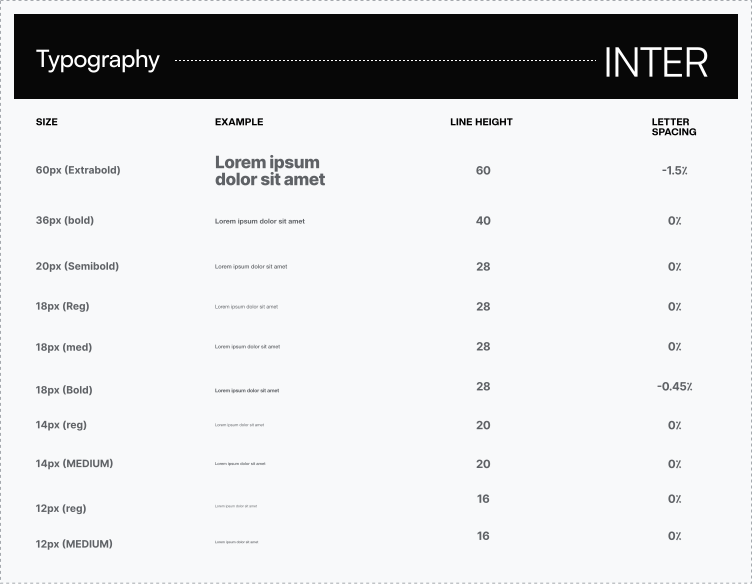
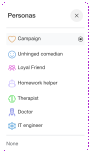
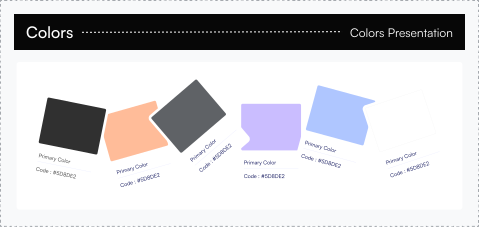
A unified design system ensured consistency across the ecosystem
A shared design system was created to support the website, mobile app, and admin panel. Components, typography, spacing, and interaction patterns were standardized to ensure consistency and faster iteration.






A mobile-first approach shaped prioritization
Designing for mobile forced a focus on essential features first. Progressive disclosure was used to surface advanced controls only when needed, ensuring clarity without overwhelming users.
A closer look at the design enhancements
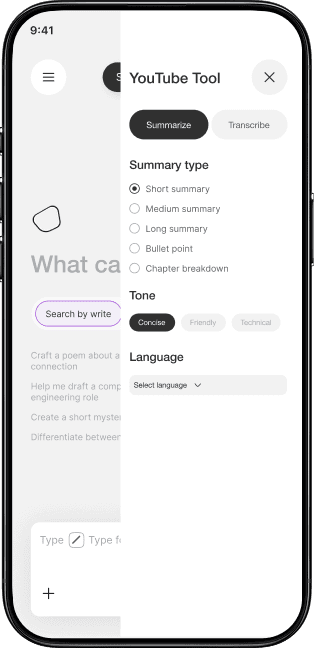
Small but impactful improvements were introduced throughout the platform to improve clarity, reduce errors, and guide users through complex AI workflows.
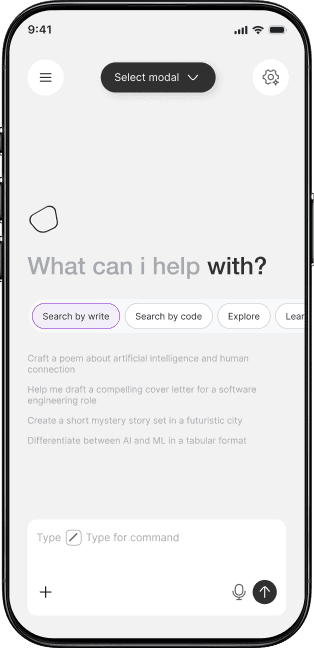



To eliminate confusion, the End of Term options were reduced
from 3 to 2.
Admins can manage organizations, users, plans, models, and partners from a single dashboard. Usage analytics provide insights into tokens, searches, and costs.

Usability testing with 16 users showed we were (mostly) headed in the right direction
We conducted moderated and unmoderated usability testing with 15 users, including individual users and organization admins. Testing revealed significant improvements in task completion and confidence.
Usability testing results users better understood AI behavior and costs
Identified UX
Challenges
Hidden Tools
Users struggled to quickly find AI tools on mobile.


Complex Navigation
Key actions required too many steps to access.
Lack of Immediate Context
Usage and AI state were not visible at a glance.
Implemented UX
Solutions

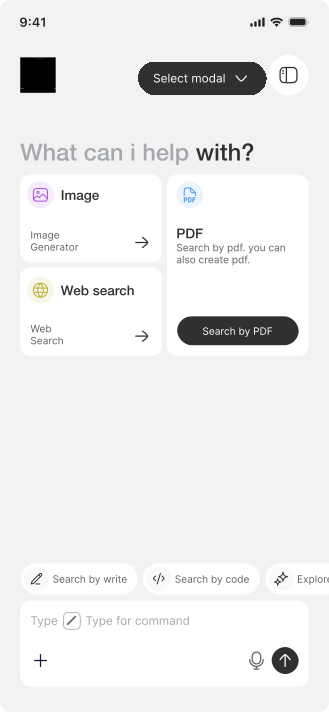
Tool-First Layout
Core AI tools are surfaced directly on the home screen.
Quick Action Access
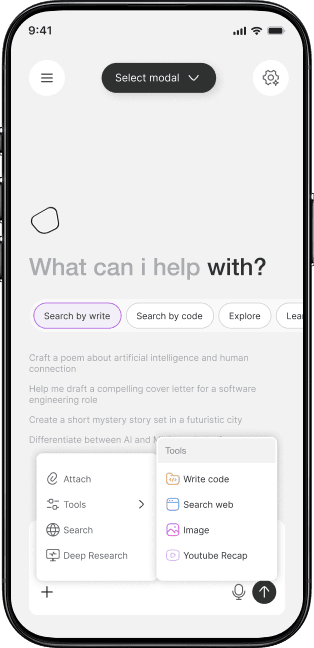
A plus action enables fast entry into task-based tools.
Clear Visual Hierarchy
Important information is prioritized using a clean, mobile-first design.

Usability testing with in the right direction
Usability testing confirmed that users could start tasks faster and felt more confident navigating the mobile experience. Users better understood AI behavior, available tools, and usage limits, leading to smoother task completion on mobile.
Identified UX
Challenges
Hidden Tools
Users struggled to quickly find AI tools on mobile.
Complex Navigation
Key actions required too many steps to access.
Lack of Immediate Context
Usage and AI state were not visible at a glance.
Implemented UX
Solutions
Tool-First Layout
Core AI tools are surfaced directly on the home screen.
Quick Action Access
A plus action enables fast entry into task-based tools.
Clear Visual Hierarchy
Important information is prioritized using a clean, mobile-first design.
Usability testing with in the right direction
Usability testing confirmed that users could start tasks faster and felt more confident navigating the mobile experience. Users better understood AI behavior, available tools, and usage limits, leading to smoother task completion on mobile.
Identified UX
Challenges
Testing Insights
Testing highlighted the need for a faster, centralized way to access tools without interrupting the chat flow.


Implemented UX
Solutions

Testing Validation
Usability testing confirmed that users could switch tools faster, maintain task context, and complete actions with fewer steps and less friction.

Identified UX
Challenges
Testing Insights
Usability testing revealed that users wanted clearer separation between usage and billing, along with simple visual indicators to quickly understand their current status and spending.
Implemented UX
Solutions
Testing Validation
Post-testing showed that users could accurately interpret usage data, understand billing breakdowns, and felt more confident tracking their AI spending on mobile.
Identified UX
Challenges
Testing Insights
Testing highlighted the need for a faster, centralized way to access tools without interrupting the chat flow.
Implemented UX
Solutions
Testing Validation
Usability testing confirmed that users could switch tools faster, maintain task context, and complete actions with fewer steps and less friction.
Identified UX
Challenges
Testing Insights
Usability testing revealed that users wanted clearer separation between usage and billing, along with simple visual indicators to quickly understand their current status and spending.
Implemented UX
Solutions
Testing Validation
Post-testing showed that users could accurately interpret usage data, understand billing breakdowns, and felt more confident tracking their AI spending on mobile.
Identified UX
Challenges
Testing Insights
Testing highlighted the need for a faster, centralized way to access tools without interrupting the chat flow.
Implemented UX
Solutions
Testing Validation
Usability testing confirmed that users could switch tools faster, maintain task context, and complete actions with fewer steps and less friction.
Identified UX
Challenges
Testing Insights
Usability testing revealed that users wanted clearer separation between usage and billing, along with simple visual indicators to quickly understand their current status and spending.
Implemented UX
Solutions
Testing Validation
Post-testing showed that users could accurately interpret usage data, understand billing breakdowns, and felt more confident tracking their AI spending on mobile.
A design for all devices
The platform was designed across multiple breakpoints. On smaller screens, secondary information is hidden behind expandable components, ensuring focus on primary tasks.
Designing for scalability and future growth
The architecture supports adding new AI models, tools, and personas without disrupting existing workflows.
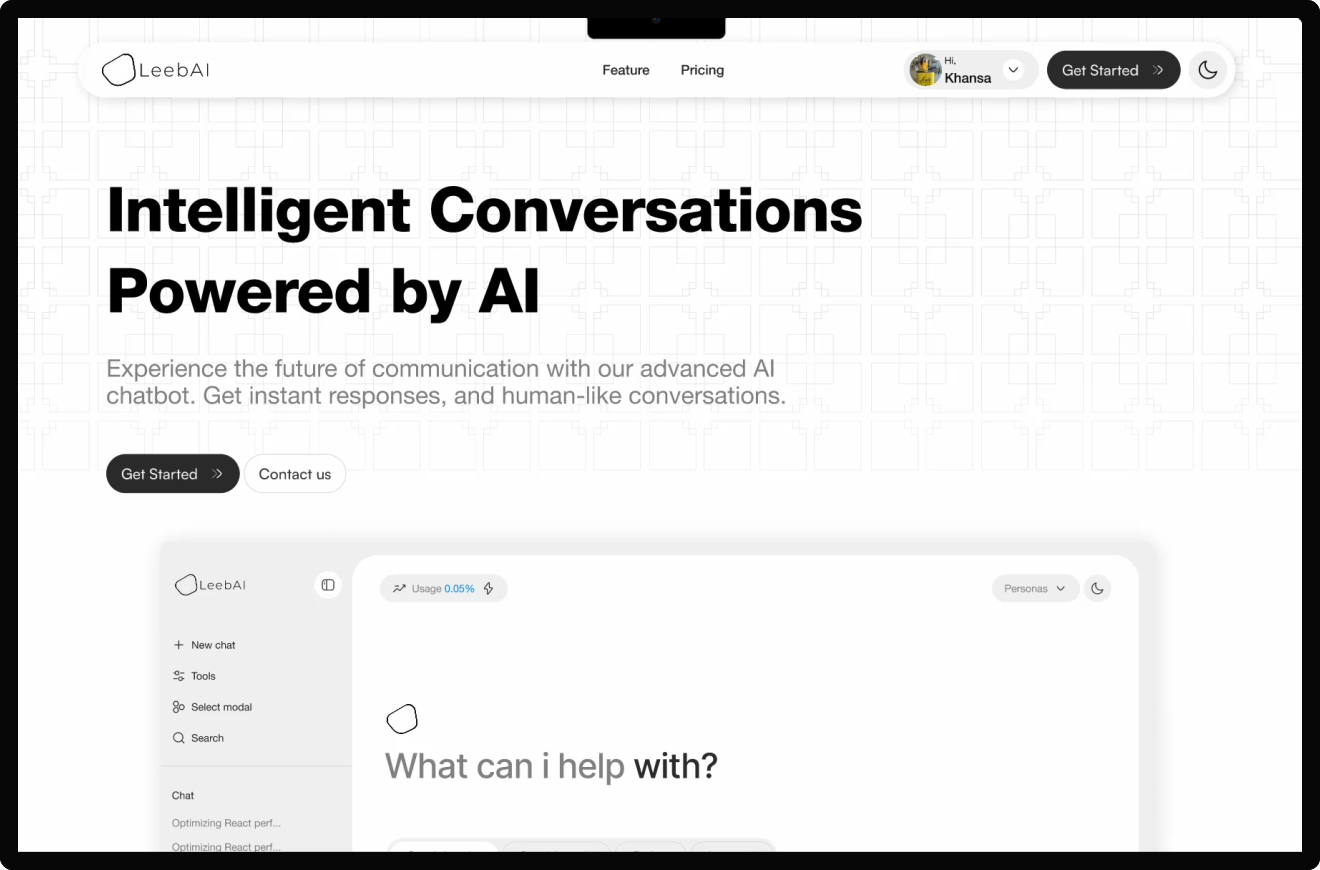
Comprehensive design documentation streamlined development for a cohesive end product
Detailed design documentation, annotated screens, and interactive prototypes were shared with engineering teams to ensure accuracy and consistency during implementation.
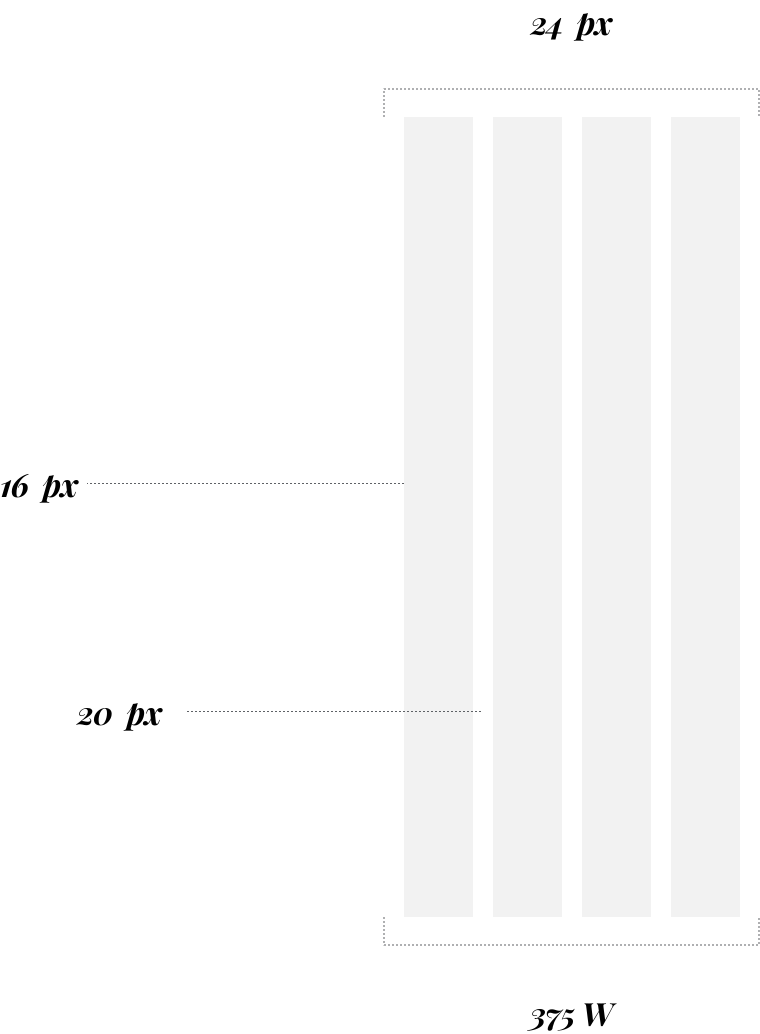

The outcome of the redesign - overall inefficiencies reduced by 49%
Success Metrics

41% reduction
in AI-related support requests
52% Increase
in successful task completion
38% Increase
in daily active usage
45% Increase
in admin task efficiency

