Designing a smarter way to prepare for interviews turning a complex tool into a clear, guided experience.
Interview Buddy is a platform designed to help people prepare for interviews through guided practice, performance tracking, and real-time feedback. The product had powerful features, but the experience felt scattered, repetitive, and hard to follow. Users weren’t guided they were left figuring things out on their own.
Role
End-to-end product redesign
What is Interview Buddy?
Interview Buddy is an interview preparation platform that helps users practice interviews, analyze their performance, and improve over time. It includes features like:
- Video & audio analysis
- Interview templates
- Performance scoring
- Practice sessions
Team

2 UI/UX Designers
1 Product Managers
4 scrum teams x 12 people each
Timeline
Dec 2023 — Jan 2024 | 1 months
Deliverables
Interviews with stakeholders and users revealed friction across AI workflows.
To understand where users were struggling, interviews were conducted with stakeholders including product managers and internal teams. These conversations revealed that users were often confused while navigating the platform, especially during interview setup and while interpreting feedback.
“I don’t know where to start or what to focus on first when I open the platform.”
Job Seeker
“After completing an interview, I can see scores, but I don’t really understand what to improve.”
Professional
“I want a clear way to track progress and help users improve, but the current flow feels disconnected.”
Stakeholder
The existing experience lacked clarity control, and transparency.
The previous design made it difficult for users to understand how the platform worked, what actions to take next, and how their performance was being evaluated. Users often felt unsure about where to start, how to navigate interviews, and what their scores actually meant.
Fragmented AI tools
Users had to move across disconnected sections, making the flow slow and hard to follow.
Limited control over practice
Users couldn’t easily manage how they practiced or structure their interview sessions.
Poor feedback clarity
Scores were shown, but users lacked clear insights into what to improve and why.
The existing user flows had opportunities for merging duplicates
Starting an interview from different entry points like Dashboard, Templates, or Quick Actions led users through a similar multi-step process — selecting a role, setting preferences, and starting the session. However, this flow was repeated across multiple areas without any variation or simplification.






Other problems with the current design
Unclear feature understanding
Users interacted with interview tools without fully understanding how they worked or what to expect from them.
Feedback felt inconsistent
Results and scores varied in presentation, making it difficult for users to clearly evaluate their performance.
Lack of structured management
There was no clear way to track progress, manage multiple attempts, or view improvement over time.
Increased user confusion
Unclear flows and feedback led to hesitation, repeated actions, and overall frustration while using the platform.
Before the redesign, we aligned on how we would measure success.
Goal 1
Improve clarity across interview flows, feedback, and performance tracking to reduce user confusion.
Goal 2
Create a structured and scalable design system that supports both individual users and professionals preparing for interviews.
Success Metrics
Reduce user error
Make interview setup, practice, and results easier to understand.
Reduce drop-offs in interview flow
Ensure users complete full practice sessions without friction.
Increase user satisfaction
Help users clearly understand feedback and how to improve.
Improve accessibility across device
Provide a seamless experience across web and mobile platforms.
User personas enabled a shared understanding of user behavior within the team.
The research identified multiple types of users interacting with Interview Buddy. However, for this case study, we focused on the two most important personas who are directly impacted by the interview practice and feedback system: Job Seekers and Professionals.

Aisha Khan
Job Seeker
Age
Gender
Status
Education
Location
23
Female
Single
BSC Computer Science
Remote
“At times I just want to travel, cherish the nature and enjoy its beauty, listen to the insects chirping, and experience the poetic feel. Looking for apps that give a detailed outline of a place and its planning.”
Bio
Aisha is a tech-savvy job seeker who regularly practices interviews to improve her chances of landing better roles. She uses online tools to prepare but often feels overwhelmed by unclear feedback and complicated practice flows. She wants a simple, structured experience that helps her improve step by step.
Goals
- Improve interview performance with structured practice
- Understand feedback clearly and quickly
- Build confidence before real interviews
- Track improvement over time
Frustrations
- Confusing interview setup flow
- Feedback that is hard to interpret
- Lack of clear improvement direction
- Repetitive practice experience
Personality
Motivations
- Career growth
- Confidence building
- Skill improvement
- Job success
Interests
- Interview preparation
- Learning platforms
- Career development tools
- Productivity apps
Influences
- AI Communities
- Tech Blogs
- Product Thought Leaders
- SaaS Platforms
Frequently used apps
- Notion
- YouTube
- Google Docs
- Practice platforms
A unified design system ensured consistency across the ecosystem
A shared design system was created to support the interview practice platform across all modules including dashboard, templates, interview sessions, and results. Components, typography, spacing, and interaction patterns were standardized to ensure consistency and a smoother user experience.
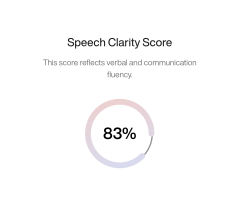
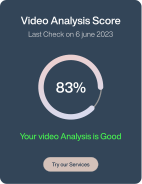
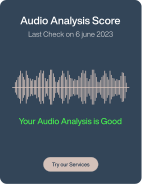
To eliminate confusion, redundant options were reduced and simplified
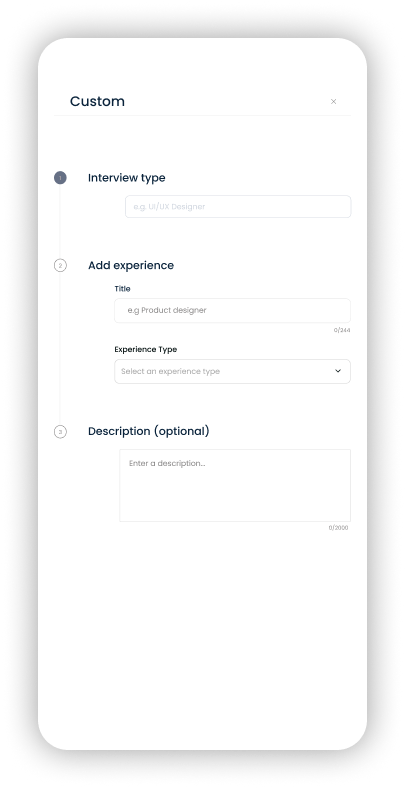
Multiple overlapping actions across templates and interview setup were streamlined to reduce repetition and make the flow more intuitive. Users can now complete interview setup through a single guided path instead of multiple repeated steps.
Usability testing confirmed improved confidence and clarity
Identified UX
Challenges
Unclear Starting Point
Users were unsure how to begin an interview session.


Overloaded Interface
Too much information reduced focus during practice.
Weak Feedback Interpretation
Users struggled to understand what scores actually meant.
Implemented UX
Solutions

Guided Start Flow
Users are now taken through a clear step-by-step interview setup.
Focused Practice Environment
Distraction-free interface helps users concentrate during answers.
Structured Feedback Layout
Scores and insights are grouped into clear, readable sections.

Usability testing confirmed improved confidence and clarity
After redesign, users were able to start interviews faster, complete sessions more smoothly, and better understand their performance. The overall experience felt more guided, structured, and supportive.
Identified UX
Challenges
Unclear Starting Point
Users were unsure how to begin an interview session.
Overloaded Interface
Too much information reduced focus during practice.
Weak Feedback Interpretation
Users struggled to understand what scores actually meant.
Implemented UX
Solutions
Guided Start Flow
Users are now taken through a clear step-by-step interview setup.
Focused Practice Environment
Distraction-free interface helps users concentrate during answers.
Structured Feedback Layout
Scores and insights are grouped into clear, readable sections.
Usability testing confirmed improved confidence and clarity
After redesign, users were able to start interviews faster, complete sessions more smoothly, and better understand their performance. The overall experience felt more guided, structured, and supportive.
Designing for scalability and future growth
The structure was designed to support adding new interview types, roles, and assessment features without breaking existing flows.
Comprehensive design documentation streamlined development for a cohesive end product
Detailed design specifications, annotated screens, and structured handoff files were shared with the development team to ensure accuracy and consistency during implementation.
 100 px100 px20 px
The outcome of the redesign - overall friction reduced significantly
Success Metrics

41% reduction
in drop-off during interview setup
55% Increase
in completed interview sessions
40% Increase
in user engagement with feedback
45% improvement
in overall task efficiency

